ibis Paint X
ibis inc.Art & Design
4.5127.16K Reviews
- Version
- 14.1.6
- Installs
- 100.00M
- Age Rating
- Everyone
Screenshots
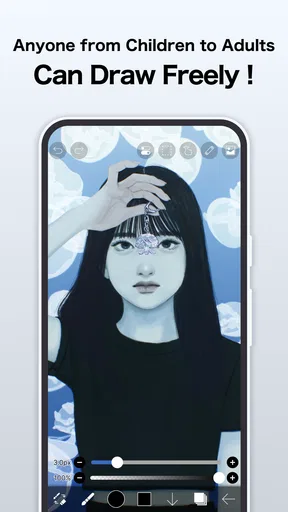
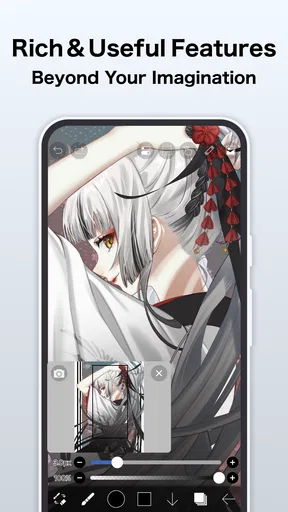

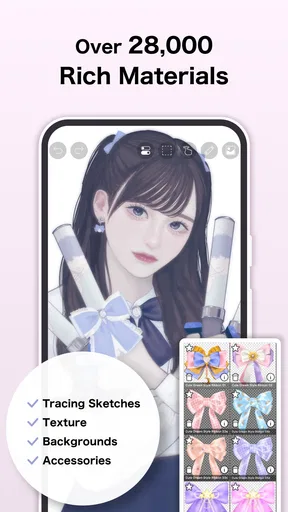
Our Review of ibis Paint X
 Analysis by Appyee
I think ibis Paint X makes most sense when I treat it as a portable drawing workspace, rather than a tiny replacement for every part of a desktop art setup. It is a free art and design app from ibis inc., and its 4.5 average across around 2.8 million ratings suggests it has found a broad audience. More than 100 million installs also point to a tool people return to, though popularity alone does not tell you whether its workflow will suit you. I would start with the practical question: do you want to draw, paint, and refine images on a phone or tablet often enough to benefit from a full-featured interface?
What you can try before paying
The app is free to install, so you can explore its drawing workflow without committing to a purchase. In-app purchases range from $2.99 to $27.99 per item, but I would avoid assuming that a paid option is necessary before you know what you actually use. Spend time with the free experience first, note where interruptions or locked options affect your routine, and decide whether paying solves a real problem for you. That is a more reliable way to judge value than buying simply because the app has a long feature list.
There is no single purchase decision that makes sense for every artist. Someone who sketches casually may be content to use the app as it is, while a person who draws regularly may be more willing to pay for a smoother experience or particular extras. I would weigh any purchase against how often I open the app and whether it improves a specific step in my process. The main benefit is that you can test whether drawing on a touchscreen feels comfortable before spending anything.
A Canvas in Your Pocket
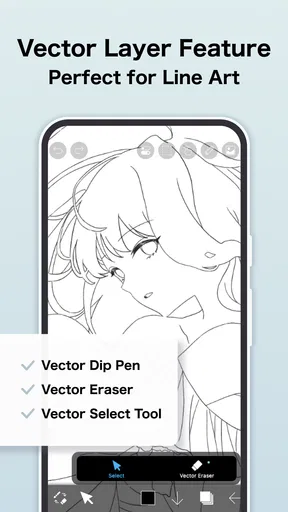
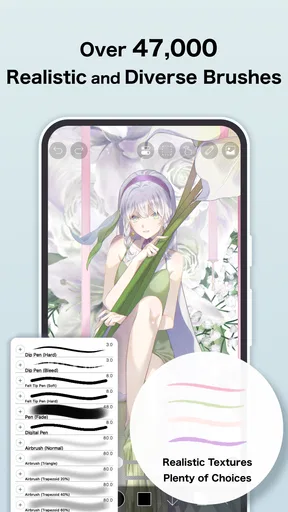
One of the first things that struck me about ibis Paint X is its impressive range of brushes – over 800 to be exact! From basic pens and markers to intricate textures and gradients, it's like having an entire art supply store condensed into your smartphone. The app runs smoothly, even when you're working with layers upon layers of intricate detail. And speaking of layers, you can create as many as your device's memory can handle, which is a game-changer for anyone who loves working with complex compositions.
Why the toolset earns its space
For me, the useful part of a broad brush selection is not simply having lots of choices; it is being able to try different marks without changing apps or rebuilding a piece from scratch. A rough brush can help block in a shape, while a cleaner pen can sharpen its edges later. I would still keep a few dependable tools close at hand rather than browsing through options every time I draw. A large library is most helpful when experimentation is part of the work, but it can slow a beginner down if every decision turns into another round of brush testing.
Layers are especially valuable when a drawing is likely to change. I might keep a loose sketch separate from the cleaner lines, then add color without painting over the structure underneath. That separation makes revisions less stressful: if a color choice feels wrong, I can adjust that part without undoing the drawing itself. The trade-off is that layers make a project easier to manage only when I name or organize them sensibly. On a small screen, a complicated file can become fiddly, and device memory places a practical limit on how far I should push a detailed canvas.
User-Friendly Interface
Despite its vast array of features, the interface is surprisingly intuitive. You don't have to be a tech wizard to navigate through its menus. The layout is clean and easy on the eyes, with tools that are logically organized. I particularly appreciated the quick access toolbar that allows you to customize your most-used tools, making the creative process more fluid and less interrupted.
That toolbar is worth setting up early. I would put the tools I reach for repeatedly there, such as a favorite drawing brush and an eraser, instead of treating the default arrangement as permanent. The benefit becomes clearer during a short drawing session: fewer trips through menus mean I can keep my attention on the lines rather than on finding controls. At the same time, a phone display still gives less room for a hand and a canvas than a larger tablet does, so a clean interface cannot remove every small-screen compromise.
For a first project, I would keep the goal modest: make a quick sketch, add a separate color layer, and test how undoing or adjusting a mark feels. That tells you more about whether the app suits your habits than opening every menu at once. If you enjoy customizing tools and gradually building a routine, its interface gives you room to do that. If you want a nearly blank page with only a pencil and paper-like controls, the number of options may feel like work rather than freedom.
Features That Stand Out
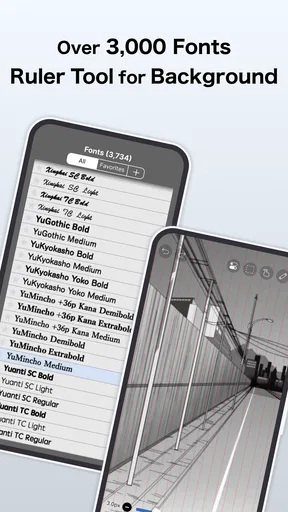
What really sets ibis Paint X apart is its social aspect. The app allows you to record your drawing process and share it with a community of users. This feature not only provides a platform for feedback and inspiration but also helps you learn new techniques by watching how others create their magic. Another cool feature is the "Ruler" tool, which is perfect for anyone who struggles with perfect lines and symmetry. It’s like having a digital assistant guiding your hand.
The recorded process can be useful as a learning aid, not just something to post. When I review how a drawing came together, I can spot where I spent too long refining a detail or notice a technique worth practicing again. Watching other artists work is most helpful when I focus on one question at a time—for example, how they build a clean outline or move from a rough sketch to finished color. It is inspiration, not a substitute for practice, and I would not expect every shared process to match my own style or needs.
The ruler is a practical choice for planned geometry: straight edges, aligned details, or repeated shapes that would be awkward to draw freehand on glass. I would use it selectively, though. A guide can make a line more controlled, but too much reliance on perfect symmetry may make a loose sketch feel stiff. If your usual work is expressive marks, messy studies, or quick gesture drawing, the ruler may rarely matter; for diagrams, structured illustrations, or careful line work, it can save patience.
Where the everyday workflow can snag
A realistic use for the app is a commuter sketching a character idea while waiting for a train, then returning to the same drawing later to refine the outline and try color on another layer. That sort of stop-and-start work suits a mobile canvas: there is no need to carry a physical sketchbook and separate art supplies for a quick idea. I would keep the first pass simple, because a detailed composition is harder to control with a fingertip and a compact screen. A compatible stylus can make drawing feel more deliberate, but I would not buy one until I had tested whether the touchscreen workflow itself works for me.
For a small illustration, a profile image, or a concept sketch, the phone can be enough from beginning to finish. For a large piece that needs tiny, precise edits, I would rather use a tablet or a computer-based drawing program with a larger working area. This is not a verdict against mobile art; it is a reminder that the canvas and your hand are part of the tool. A task that feels quick on a tablet can become cramped on a phone, even when the app offers the same general kind of controls.
Compared with a simple sketching app, ibis Paint X asks more of the user but gives more room to develop a drawing. Compared with desktop illustration software, it favors portability and direct touch over the comfort of a large display and a full computer workspace. I see it as a strong middle ground for artists who want more than a digital notepad but do not need every session to happen at a desk. If your priority is professional production on a large canvas, a desktop alternative may be the better fit; if your priority is spontaneous drawing, this app is easier to take along.
One useful habit is to decide what each layer is for before adding many of them. A sketch layer, a line layer, and a color layer are often easier to revisit than a stack of unnamed layers whose purpose I have forgotten. I would also zoom out regularly to check the whole composition: close-up work can make a tiny detail feel important even when it does not read at normal size. These habits reduce avoidable editing and help keep a mobile project manageable as it grows.
A Few Drawbacks
No app is perfect, and ibis Paint X does have its quirks. While the free version is quite generous with its features, it does come with ads that can be a bit intrusive, especially when you're in the zone. There are also some premium features that are locked behind a paywall, which might not be ideal for everyone. However, the subscription cost is reasonable, and considering the app's capabilities, it might be worth the investment for serious artists.
For me, the most important limitation is the difference between a capable mobile app and a comfortable long-session workspace. A phone can handle an impressive amount of drawing, but the smaller display makes precise edits and layer management less relaxed. The number of available tools can also create a learning curve: a beginner may need time to settle on a small set of brushes and controls instead of trying to master everything at once. I would not recommend it to someone who dislikes touch-based drawing or wants an uncluttered, paper-like experience above all else.
The free access makes it straightforward to find out whether those trade-offs are acceptable. If ads interrupt your concentration or a paid option would clearly improve the way you draw, then consider whether its cost is worthwhile for your own use; the available in-app items run from $2.99 to $27.99. I would not describe a purchase as automatically good value just because the app is capable. The better test is whether you use it often and whether the specific benefit you are paying for matters to your work.
It is suitable for Everyone, and the current version is 13.1.16, with Android support starting at version 7.0. ibis Paint X first appeared on February 27, 2014, and its continued presence in a crowded art-app category makes it an option worth testing if you want a mobile drawing tool. Those details do not change the central decision: your preferred screen size, tolerance for ads, and drawing habits matter more than the app’s age or reach.
Who is likely to get the most from it
I would recommend trying it if you sketch regularly, want to practice digital line work, or like having a drawing space available between errands and other commitments. It is also a good fit for someone learning how layers change the way revisions work, or for an artist who enjoys comparing approaches through recorded drawing processes. People who draw mainly for fun can benefit too; there is no need to turn every session into a finished portfolio piece for the tools to be useful.
I would skip it, or at least compare it with a simpler alternative, if you only want to jot down occasional rough ideas and find extensive controls distracting. It may also be the wrong main workspace if your work depends on a large monitor, sustained fine-detail editing, or a specific desktop production workflow. In those cases, ibis Paint X can still serve as a place for quick studies, but I would not force it to replace the setup that already suits the job.
There is no need to pay just to answer the first question—whether you enjoy drawing this way. Install the free app, make a small test piece, and see how you feel after navigating the interface, using a ruler, and separating sketch from color. If the workflow feels natural, keep exploring; if the screen or interruptions get in the way, that is useful information too. The app’s age rating is Everyone, and the free starting point makes that trial a low-commitment choice.
If you're someone who loves to create on the go or wants a powerful tool to bring your artistic visions to life, ibis Paint X is definitely worth a try. Whether you're sketching out ideas, painting elaborate pieces, or just experimenting with new styles, this app has the potential to become a staple in your digital toolkit. Give it a whirl, and who knows? You might just discover a hidden talent or two!
Privacy and Permissions
See what permissions an app requests and how it handles your data.
- Photos/Media/Files
- read the contents of your USB storage, modify or delete the contents of your USB storage
- Storage
- read the contents of your USB storage, modify or delete the contents of your USB storage
- Microphone
- record audio
- Wi-Fi connection information
- view Wi-Fi connections
- Other
- view network connections, full network access, control vibration, prevent device from sleeping, Google Play license check
Verdict
Strengths of ibis Paint X
- Vast selection of brushes and tools.
- User-friendly interface for beginners.
- Supports high-resolution artwork.
- Layer support similar to Photoshop.
- Regular updates with new features.
Limitations of ibis Paint X
- Ads can be intrusive at times.
- Pro features require a subscription.
- Steep learning curve for novices.
- Limited text editing options.
- Requires significant storage space.
Other Releases by ibis inc.
View All
ibis Paint
Art & Design4.5
Similar Picks in This Category
View All
Canva: AI Photo & Video Editor
Canva4.8

PENUP – Drawing-sharing SNS
Samsung Electronics Co., Ltd.4.5

Crafto
Kutumb App4.6

Sketchbook
Sketchbook4.1

Adobe Express: AI Photo, Video
Adobe4.6

PaperColor
Eyewind4.5
You May Also Like
View All
Frequently Asked Questions
What is ibis Paint X and what are its main features?
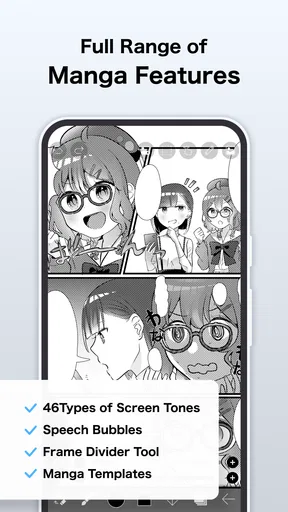
ibis Paint X is a versatile drawing app available on Android and iOS, designed for artists of all levels. It offers over 800 fonts, 381 brushes, 71 filters, and 46 screen tones. Features like layer support, stroke stabilization, and recording of your drawing process make it popular among digital artists.
Is ibis Paint X suitable for beginners?
Yes, ibis Paint X is user-friendly and includes tutorials to help beginners get started. Its intuitive interface and extensive toolset cater to both newcomers and experienced artists, making it a great choice for anyone looking to explore digital art.
Does ibis Paint X support different file formats?
ibis Paint X supports a variety of file formats, including JPEG, PNG, and PSD. This versatility allows artists to import and export their work easily, ensuring compatibility with other graphic design software and platforms for further editing or sharing.
Are there any in-app purchases in ibis Paint X?
While ibis Paint X is free to download, it offers in-app purchases. Users can opt for a premium subscription to unlock additional features like ad-free experience, more materials, and advanced tools. This allows artists to enhance their creative capabilities based on individual needs.
What are the system requirements for ibis Paint X?
ibis Paint X requires Android 4.1 or later, or iOS 11.0 or later, ensuring it runs smoothly on most modern devices. It's recommended to have a device with a good performance processor and sufficient RAM to handle intricate designs and layers without lagging.
